
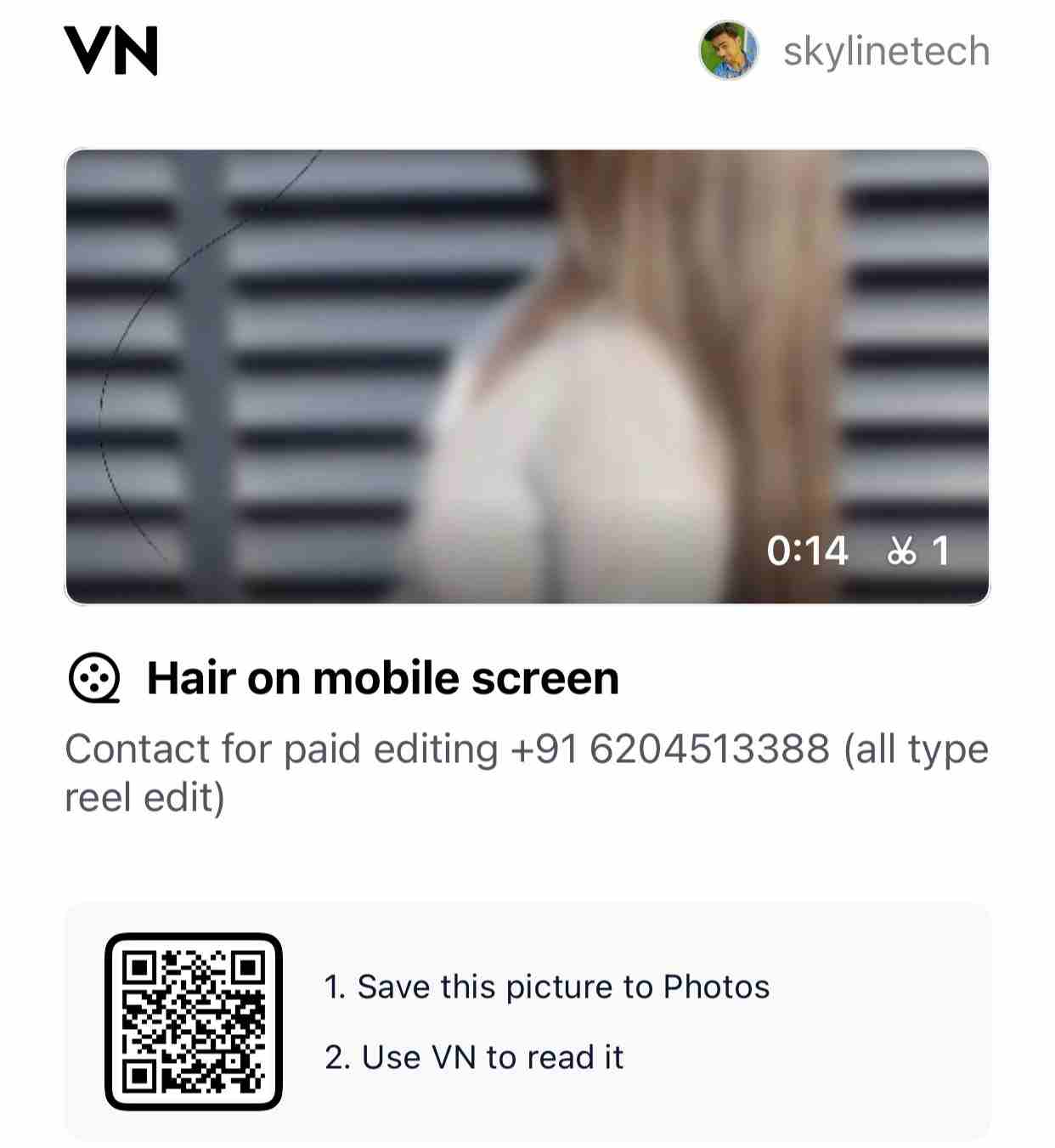
The Hair on Screen Prank Reel VN Code Template is a fun and creative prank-style editing concept designed to confuse viewers in a realistic way. After watching this reel, people actually feel like a hair has fallen on their mobile screen and instinctively try to remove it. But the twist is — the hair is not real, it is added during editing.
This prank reel works perfectly because the illusion looks natural and blends smoothly with the mobile screen. It is a light-hearted, harmless prank that grabs instant attention and increases watch time, making it ideal for Instagram Reels, Shorts, and viral prank content.
TUTORIAL : HOW TO USE VN CODE
▶️ WATCH ON YOUTUBE⭐ Why This Prank Reel Is Going Viral
People love simple but smart pranks. This reel creates a realistic screen illusion that triggers a natural human reaction. That is why viewers rewatch, comment, and share it with friends.
Reasons this template performs well:
- Looks extremely realistic on mobile screens
- Creates instant confusion and surprise
- High rewatch value
- Simple prank, no offensive content
- Perfect for viral engagement
⭐ Main Features of This VN Code Template
✨ Realistic Hair Overlay Effect – Looks like real hair on the screen.
✨ Perfect Screen Positioning – Hair stays fixed like a real screen object.
✨ Smooth Motion & Timing – Natural movement for better illusion.
✨ Beginner-Friendly Editing – No complex steps required.
✨ High Engagement Style – Boosts comments and shares naturally.
⭐ Who Should Use This Template?
- Prank reel creators
- Funny content pages
- Viral reel editors
- Meme & illusion content creators
- Anyone who wants high engagement reels
This template is safe, fun, and works perfectly for all audiences.
⭐ How to Use the VN Code Template
- Open VN App
- Tap on Import Code
- Paste the VN Code given below
- Replace background clip if needed
- Adjust hair position or opacity (optional)
- Export in Full HD quality
Your prank reel will be ready in minutes.
What is VN App?
VN (VlogNow) is a free, powerful mobile video editing app. It offers beat markers, transitions, overlays, LUTs, and text animations that make your reels look professional in minutes — all without watermarks. 66889
📥 Download VN AppStep 1: Scan the QR Code in VN App
First, open your VN App on your smartphone. Use the in-app QR code scanner or your camera to scan the shared VN QR Code. Once scanned, it will redirect you to the template’s download page. if you are allready have QR Code Scan Then Follow Step 2
Step 2: Click on the Download Now Button
After scanning, you will see a page with a “Download Now” button. Tap on it to proceed. This will usually open a Google Drive link where the shared VNT file (VN Template File) is stored.
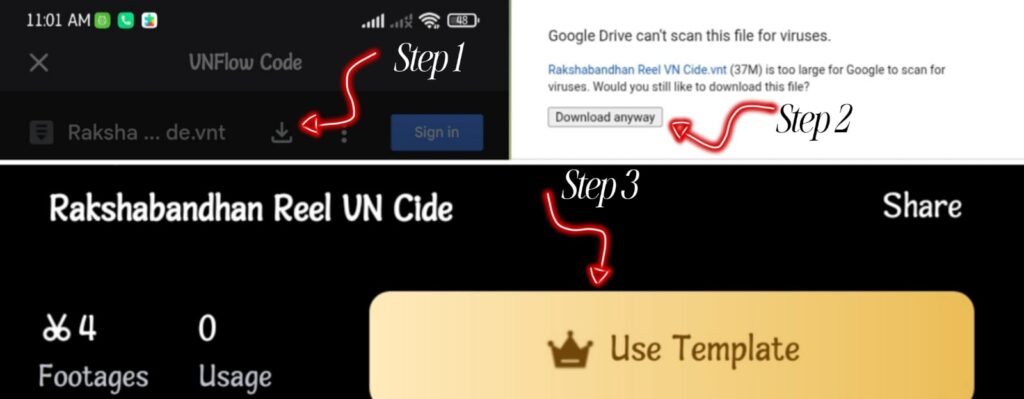
Step 3: Open Google Drive and Find the Download Option
Once Google Drive opens, you’ll notice a download icon at the top-right corner. Tap on it to download the .vnt file (the VN project file).
- Make sure your internet connection is stable.
- The file will be saved into your phone’s downloads folder.
Step 4: Import the File into VN App
Now open your VN App again.
- Tap on Import Project.
- Select From File option.
- Browse your phone and upload the .vnt file you just downloaded.
Once imported, the entire template with effects, transitions, and text layers will be loaded inside your VN App.
Step 5: Replace Media and Customize
The template will show sample photos or clips. Replace them with your own images and videos by simply tapping on each placeholder.
- Add your favorite background music (use in-app music or royalty-free tracks).
- Adjust text to include your own captions or quotes.
- Keep the recommended aspect ratio (1080×1920) for Reels.
 WhatsApp Channel
Join WhatsApp Channel
View Channel
👉 लिंक यहां काम नहीं कर रहा, आप अपना नाम मोबाइल नंबर सबमिट कीजिए हम आपको व्हाट्सएप ग्रुप और चैनल का लिंक भेज देंगे फिर आप खुद से ज्वाइन कर सकते हैं।
Step 6: Export and Share
Once you are satisfied with your edit, tap Export and save the video in your gallery. Now you can easily upload it to Instagram Reels, YouTube Shorts, or WhatsApp Status and share your creativity with the world.
Support & Contact
If you face any issues while downloading or importing the VN template, you can always reach out for help.
- Instagram ID: Skyline Tech (Follow for updates and support)
- Or use the contact form provided on the website.
Conclusion
Using VN templates via QR code is one of the easiest ways to create professional, trending, and viral reels without spending hours on editing. With just a QR scan → Download → Import → Customize, your video is ready in minutes.
So next time you come across a VN QR Code, follow these steps and start making stunning edits today!e it — it might be the shortcut to your next viral reel!
Disclaimer
I am not the copyright owner of any VN templates. If you have an issue with shared content, contact me at sskumarmbi@gmail.com and I will remove it within 24 hours.